
Reproducible XMLUI
The XMLUI docs are full of live working examples that use Playground, an extension package that runs XMLUI code inside an XMLUI app. We use playgrounds to bring component documentation to life. Why just tell you about the enabled property of a Checkbox when we can also show you, as in this live example.
enabled (default: true)This boolean property value indicates whether the component responds to user events (true) or not (false).
Click the checkboxes
This widget doesn't just display the live app, it also enables you to modify it by clicking the  icon. Try it now! You'll land in a hosted playground where you can edit the XMLUI code and see changes instantly.
Playgrounds work with the Markdown component which is the renderer for this page. Here's the XMLUI source for the checkboxes example.
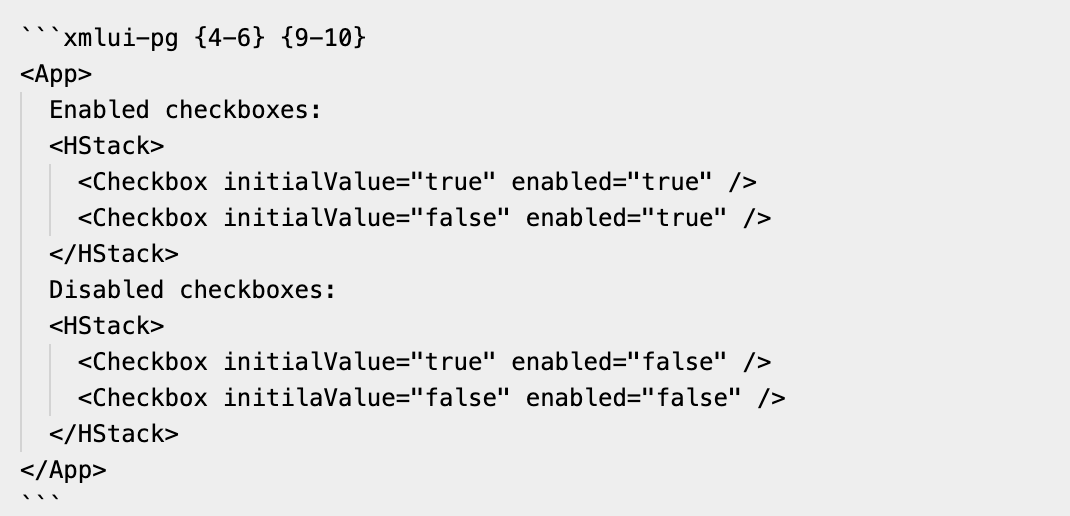
We show it here as an image because if we were to include the text it would just render as above!
It starts as conventional Markdown codefence bounded by triple backtics. You can use the language identifier xmlui for XMLUI syntax highlighting, or (as here) use xmlui-pg to introduce a live playground. The bracketed numbers specify line ranges to highlight.
Playgrounds on steroids
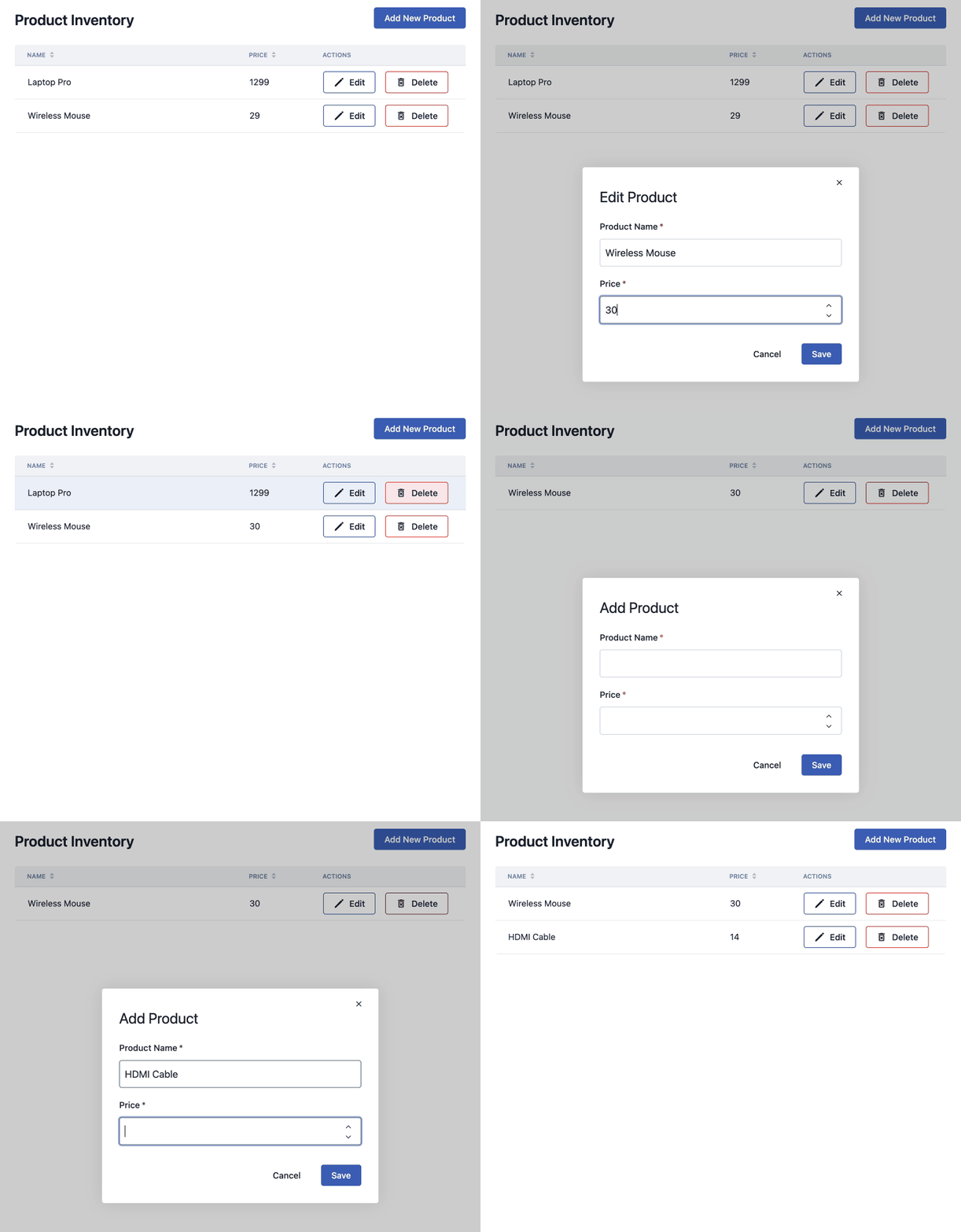
Many of these small playgrounds are woven into the component docs. You'll also find more ambitious playgrounds in the How To section of the docs where we illustrate important app patterns, like How to use the same ModalDialog to add or edit.
If you view the XMLUI source for that example, you'll see that the codefence defines an App and two user-defined components, Test and ProductModal. It also defines an API with operations get-products, get-product, insert-product, update-product, and delete-product.
This is a concise way to express the rich set of behaviors seen in this video.
Share a working reproduction of a bug
Open source developers who respond to bug reports always hope for, but rarely get, reliable ways to reproduce the bad behavior they are seeing. Now those reports can contain XMLUI codefences that exhibit the behavior.
If you want to make such a report, you can visit xmlui-codefence-runner.netlify.app, paste in your codefence, open it into a playground, and share its URL. That's the gold standard for this kind of thing, and it's implemented for that site with a dozen lines of XMLUI dropped onto Netlify.
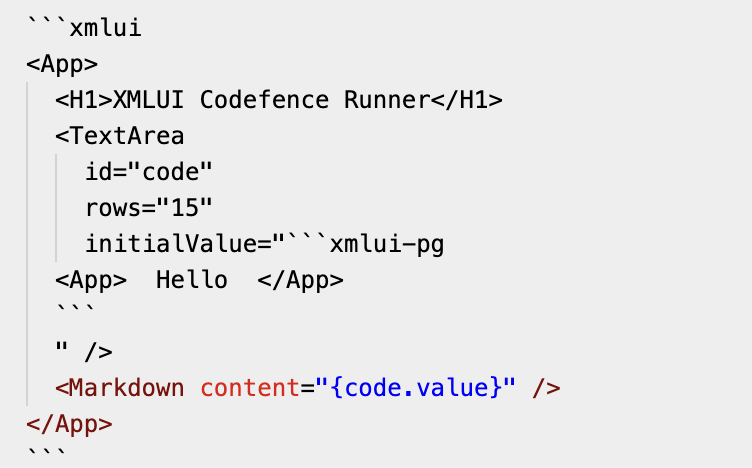
If you find yourself filing an issue that needs a solid reproduction, please give it a try.
Help your AI assistants stay grounded
When you use the XMLUI MCP server with coding assistants like Claude or Copilot, they will prefer How To examples when available.
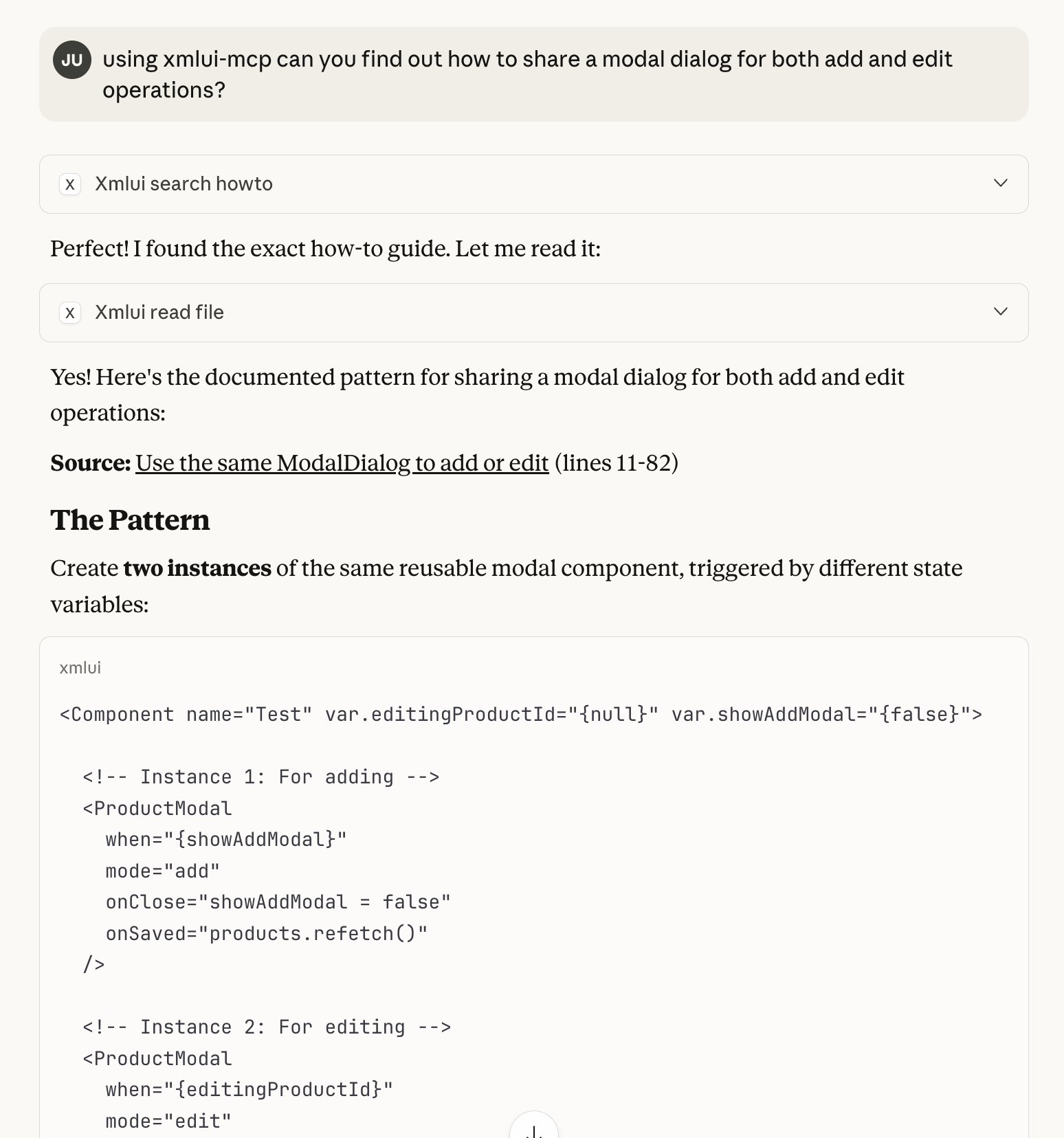
That's the gold standard response: a link to a known working pattern that proves its existence by running live. And because XMLUI is concise, the pattern doesn't occupy too much space in an AI's context window.
When you ask a question for which an assistant cannot provide such a link, we tell it to admit that and refuse to invent undocumented syntax. They won't always comply but with a running playground that embodies ground truth you can often steer them away from rabbit holes. The more working patterns contributed to the project, the stronger that effect will be.
Reproducible XMLUI
The common theme here is reproducibility. Whether it lives in a component doc, a How To, or a GitHub issue, an XMLUI codefence captures a piece of XMLUI behavior that you can replay consistently. That's useful for the XMLUI project itself but also for apps you build with XMLUI. Playgrounds that we can reliably reproduce and exchange make everything easier to build, document, debug, and maintain.